Closure in JavaScript

Formal explain

A closure is the combination of a function and the lexical environment within which that function was declared. This environment consists of any local variables that were in-scope at the time the closure was created (Mozilla).

Informal explain

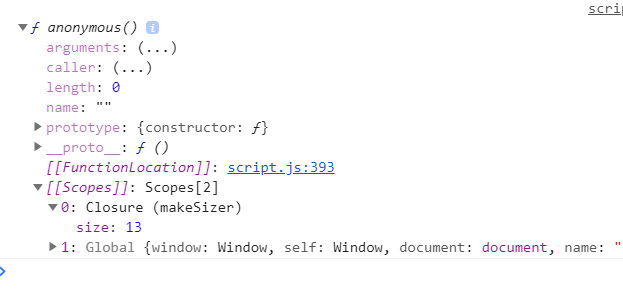
  • closure is not tangible object. We cannot create it like creating an variable. it is an inner property of a function. We can see the variable that is not exists already through a closure using console.dir(). However, we cannot see the closure through code.
  • A closure gives a (inner) function access to all variables of its parent function. The closure will keep finding the variable value from outside scope until it finds it. If it cannot find it, the closure will be undefined.
    When an (inner) function needs to use a variable from outside (not passed in), then the closure will store the variable value and the value can come from any parent scope.

Simplest case

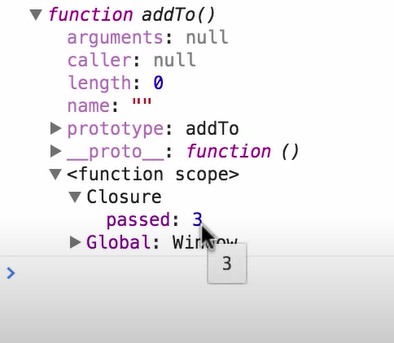
There is one function, and the variable “passed” is not passed in.The closure in the function will find the value from outside.

Code example 1
1
2
3
4
5
6
7
8
9
10
11
# index.js
var passed = 3;

var addTo = function () {
var inner = 2;
return passed + inner;
};
console.dir(addTo());
var passed = 4;

console.dir(addTo());

Closure example 1
Closure example 1

Run code: https://jsfiddle.net/dohrLfv8/

In this case: “passed” is in a closure and value is 3 and 4.

Normal case

There are two functions, outer and inner and there is a variable inside the inner function needs to get value from outer function or even outside of the outer function.

Code example 2
1
2
3
4
5
6
7
8
# index.js
function makeSizer(size) {
return function() {
document.body.style.fontSize = size + 'px';
};
}
var sizeOne = makeSizer(13);
console.dir(sizeOne);

Closure example 2
Closure example 2

Run code: https://jsfiddle.net/vnkuZ/7726/
Laravel Project Demo--role management

Source code: https://github.com/cindy-xing-wang/laravelDemo

How to run Laravel project locally: https://cindy-xing-wang.github.io/2021/01/24/5-ReplayLaravelProject/
Another similar project: https://github.com/cindy-xing-wang/realHealthyMe

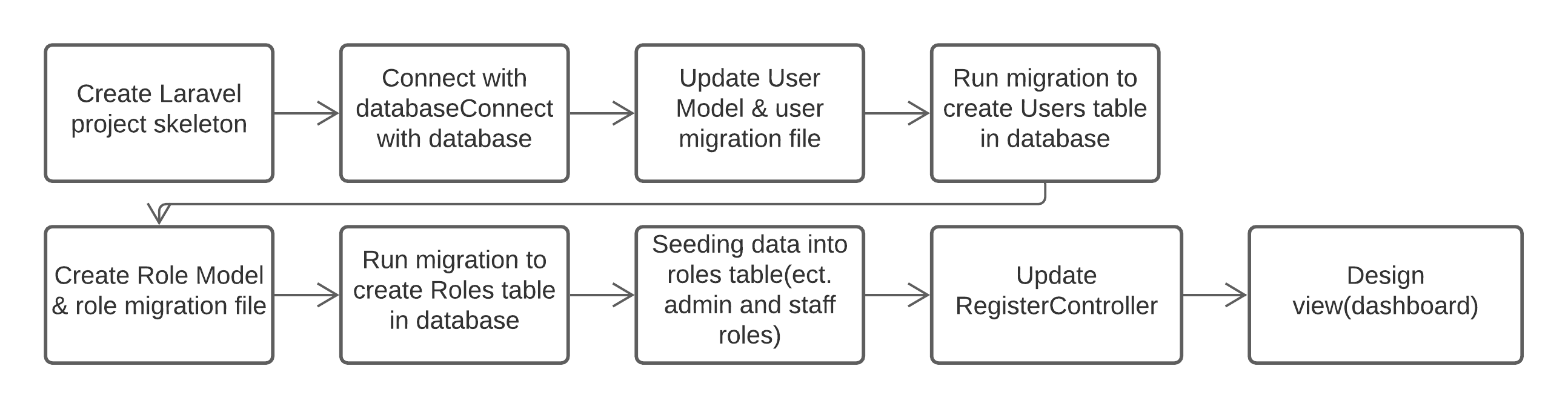
0. Basic development workflow

Create Project
Basic development workflow

As laravel UI package has built-in authentication feature, the User model, AuthController and user migration file has been created automatically. Adding new entities need to use PHP artisan to create Model, migration file, Controller. Below is the demo development in detail.

1. Create Laravel project skeleton

1
2
3
laravel new laravelDemo
composer require laravel/ui
php artisan ui bootstrap –auth

2. Connect with database (MySQL)

Create Project
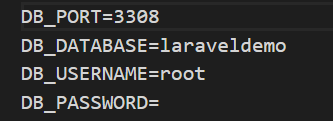
Database setting in .evn file

Create Project
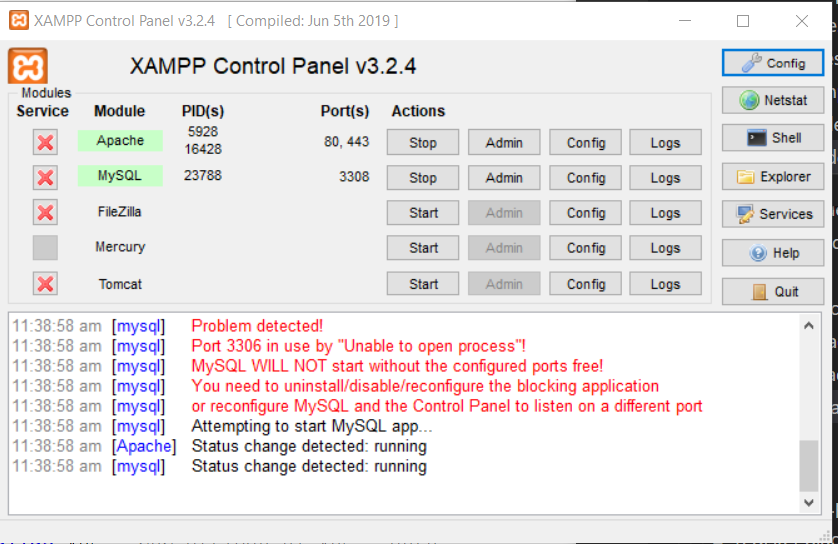
Connect with database in XAMPP

Create Project
Laravel welcome page local address

Create Project
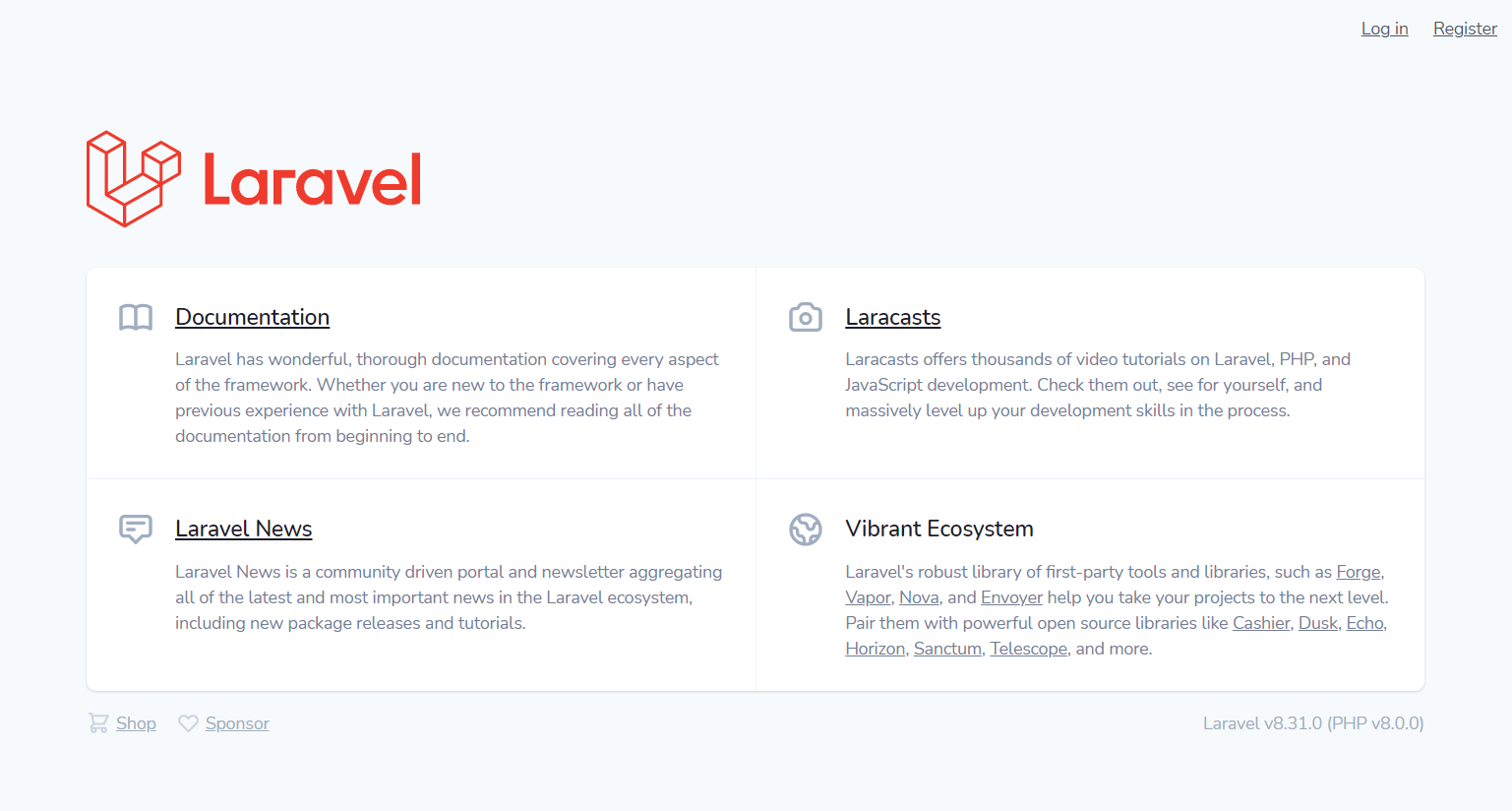
Laravel welcome page with login & Register

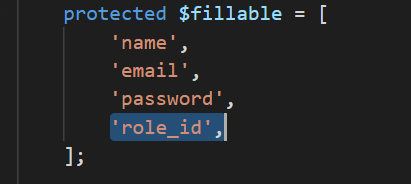
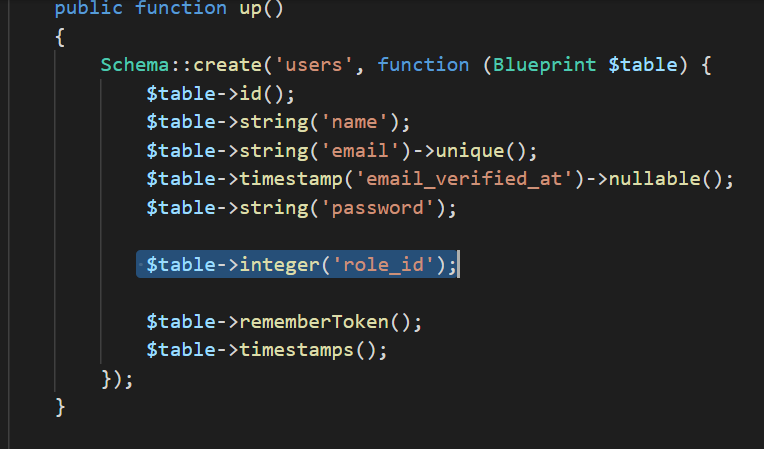
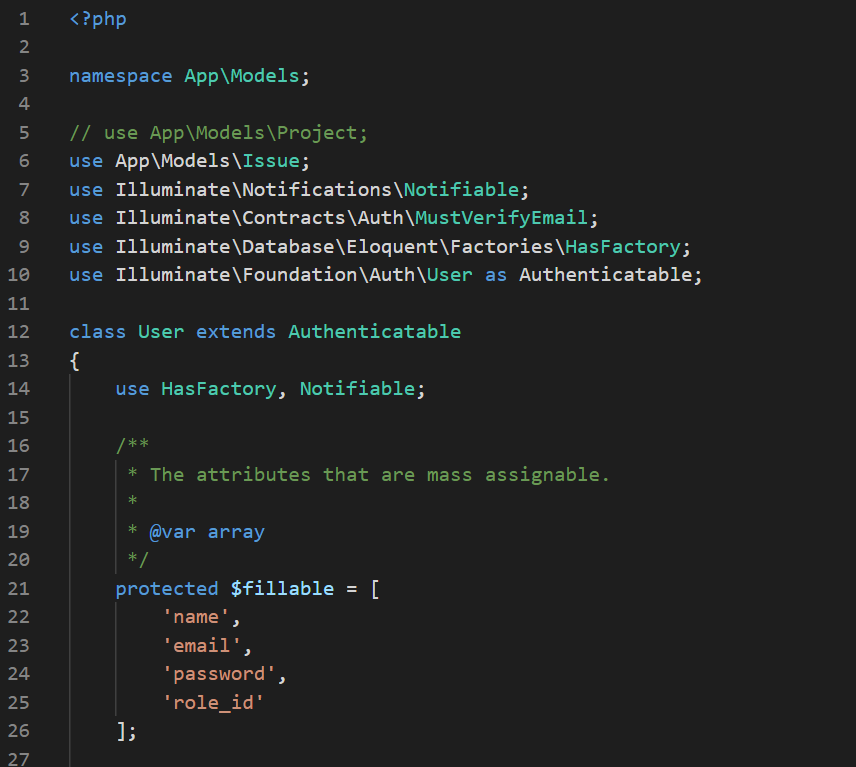
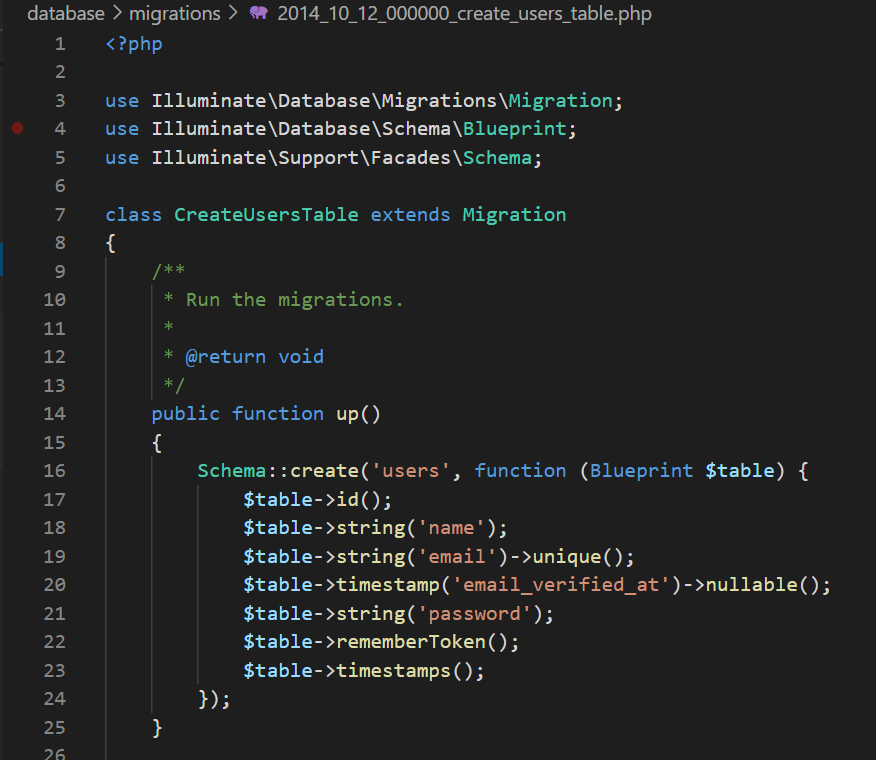
3. Add attributes in User Model (etc. role_id) and update migration file

User model and user migration file are created by Laravel. We only need to add the attributes. However, after running migration file, if we want to alter the table(etc. add another attribute in user model), we can either roll back the last migration and modify the migration file and run migrate again or we need to create a new migration file to add the new attribute.
Create Project
User Model

Create Project
user migration file

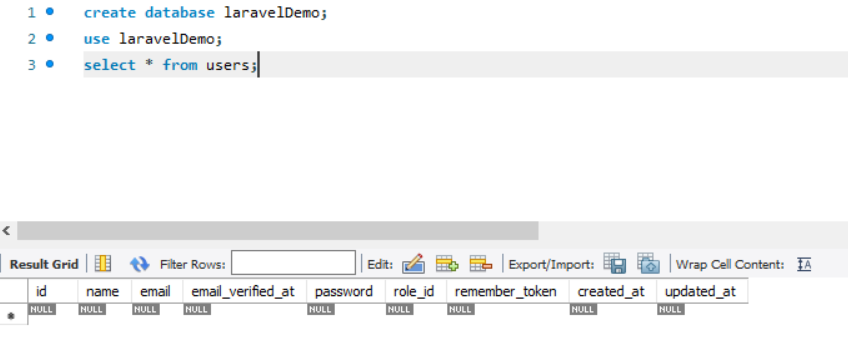
4.Run migration to create Users table in database

1
php artisan migrate

Create Project
users table has been created through migration file

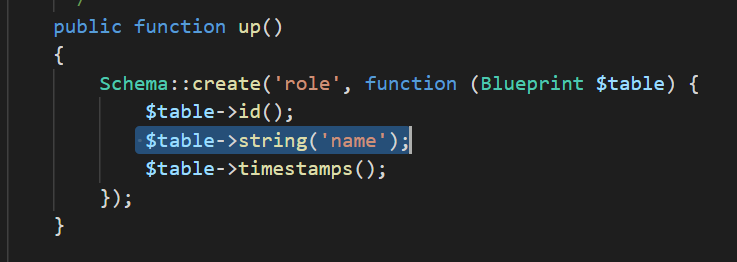
5. Create Role model & role migration file

1
2
php artisan make:model
php artisan make:migration create_roles _table

Create Project
update role migration file

6. Run migration to create Roles table in database

1
php artisan migrate

Note : run migration whenever the migration file is changed to make sure the database is up-to-date step by step

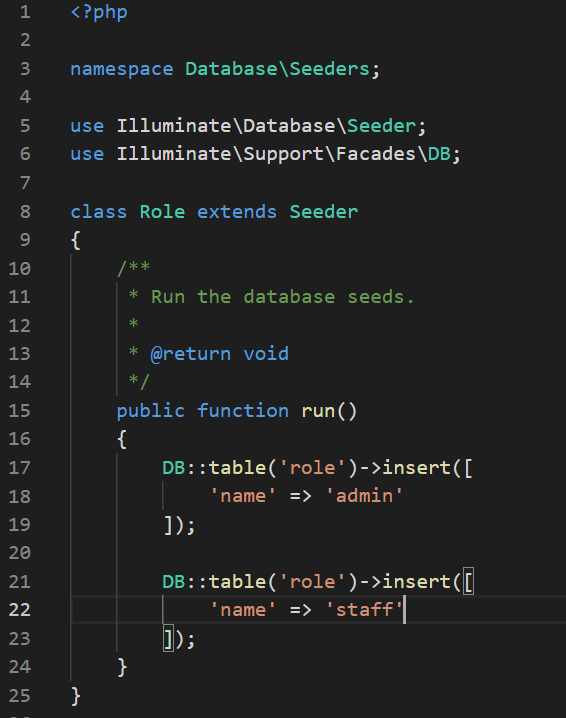
7. Seeding data into roles table (ect. admin and staff roles)

1
php artisan make:seeder Role

Create Project
update role seeder file

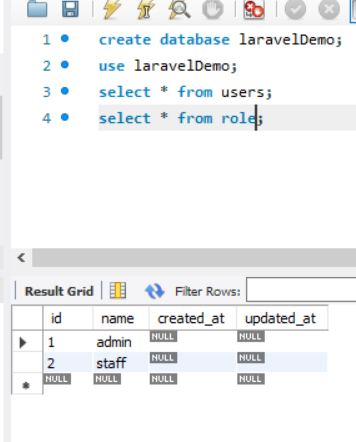
1
php artisan db:seed –class Role

Create Project
update role seeder file

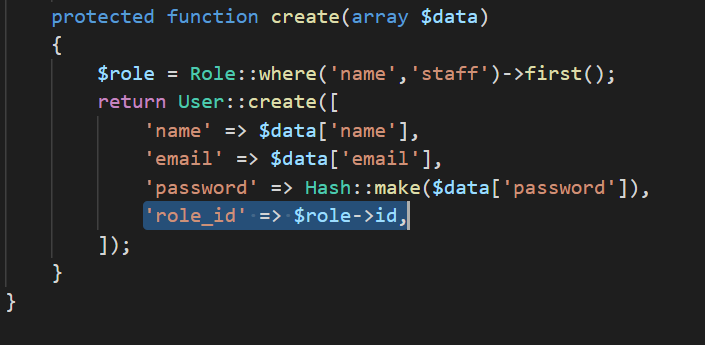
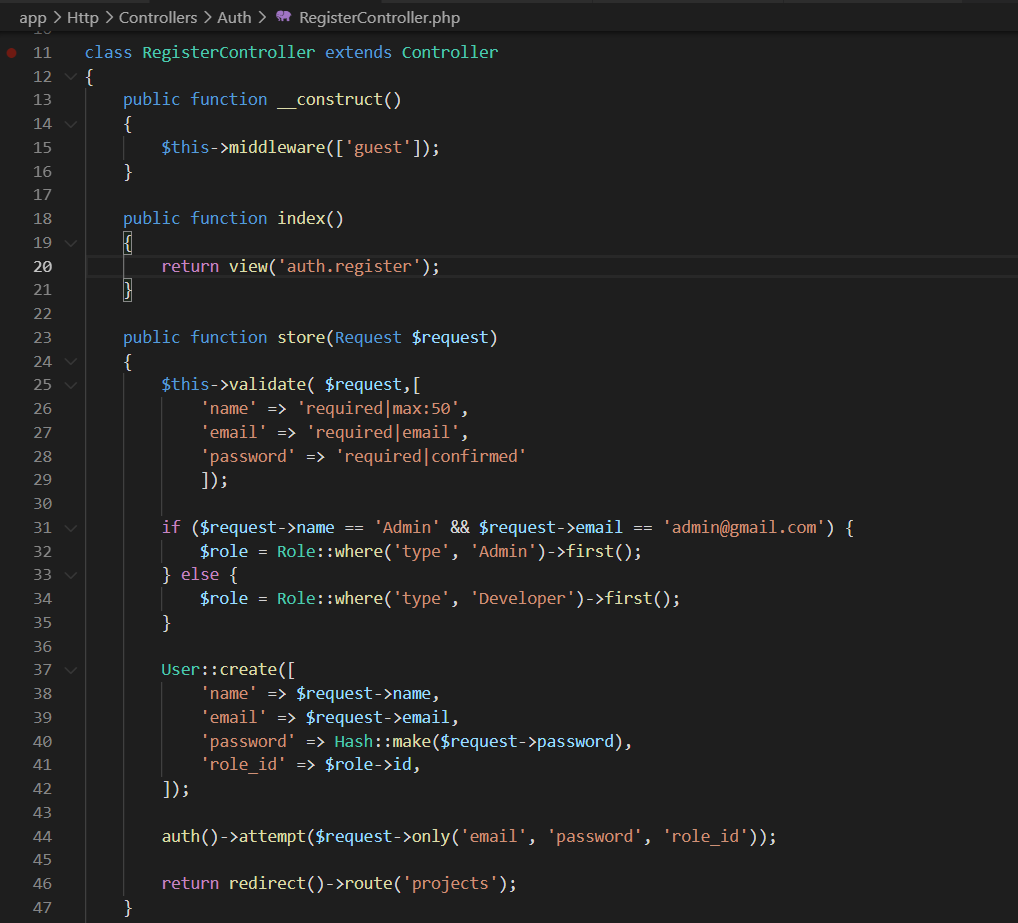
8. Update RegisterController

Create Project
Update RegisterController

9. Register the first User

Anyone register from register page will be ‘staff’ role.

Create Project
Register the first User

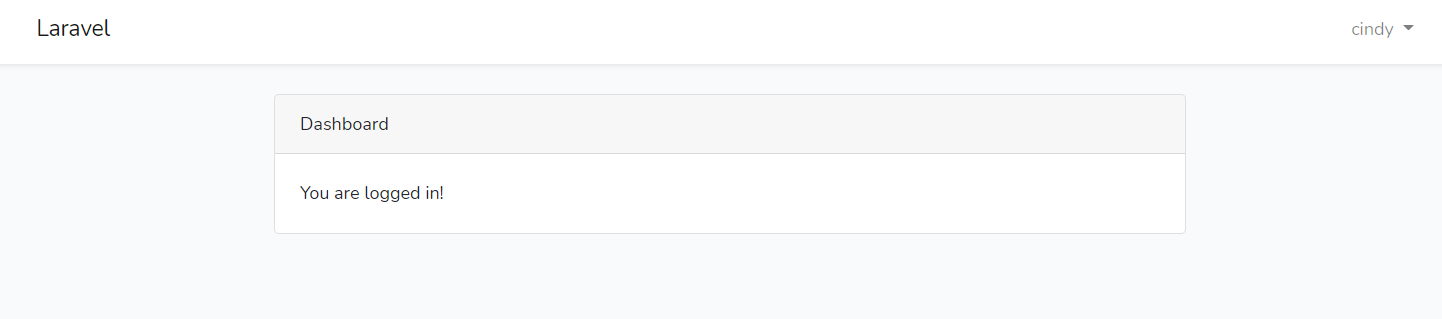
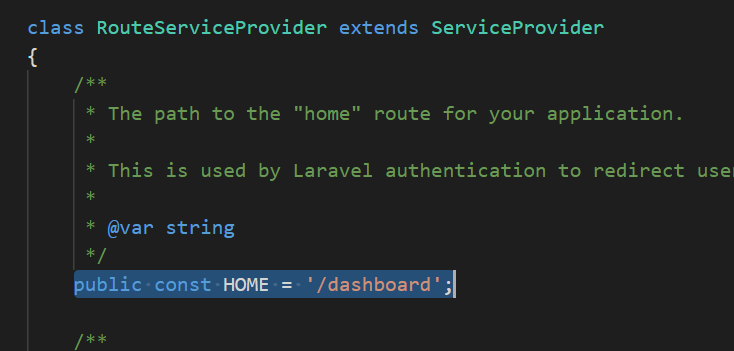
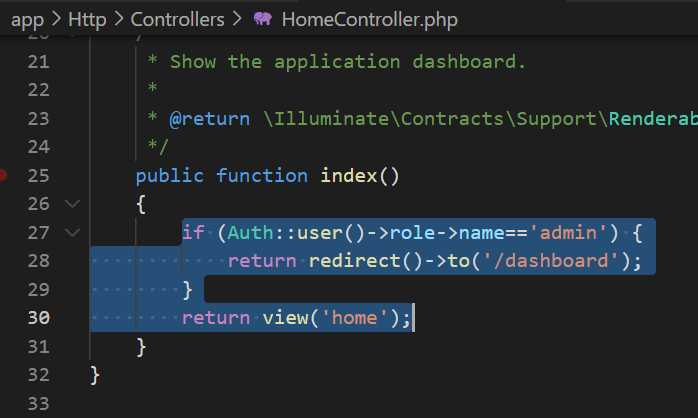
10. Redirect to dashboard

Create Project
Redirect to dashboard

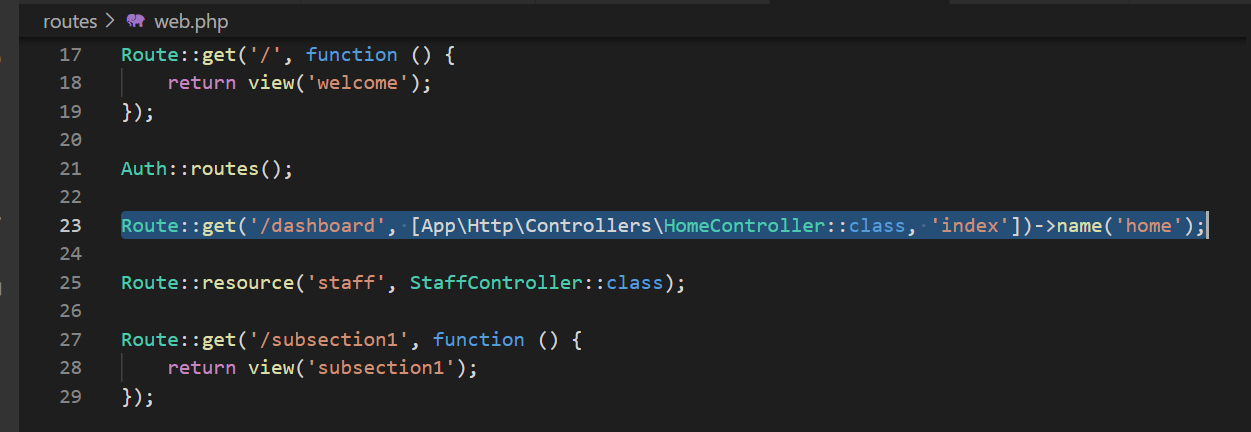
Create Project
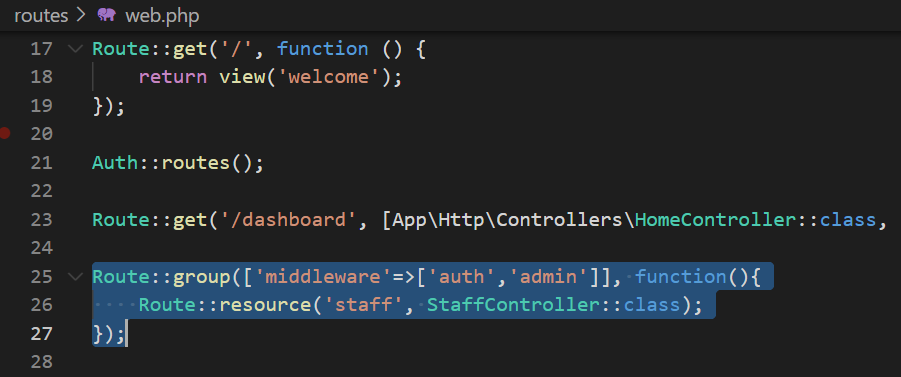
Add dashboard route in web.php

11. Design dashboard

I use ThemeKit as the template for the UI

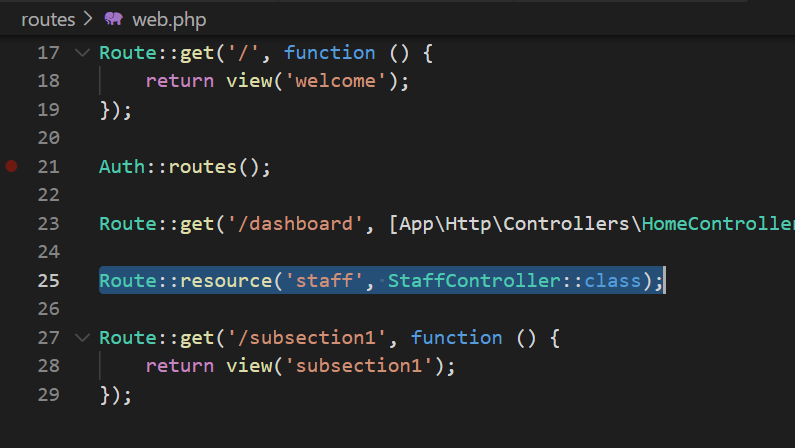
12. Add staff route (Only admin role is able to visit this route)

Create Project
Add staff route

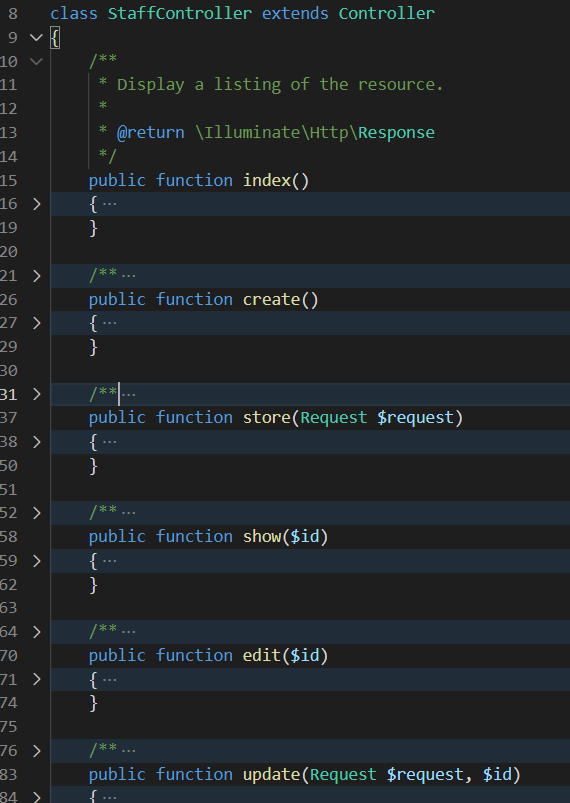
13. Create StaffController

1
php artisan make:controlle StaffController -r

By adding -r flag, the file will automatically creating index, create, show, update, destroy functions.

Create Project
Create StaffController

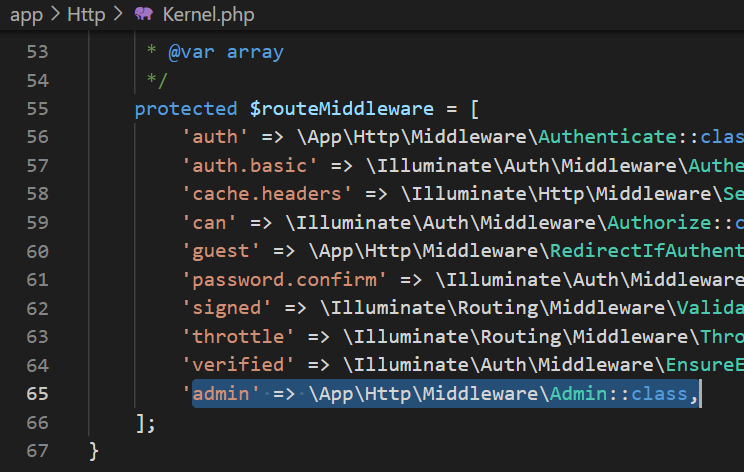
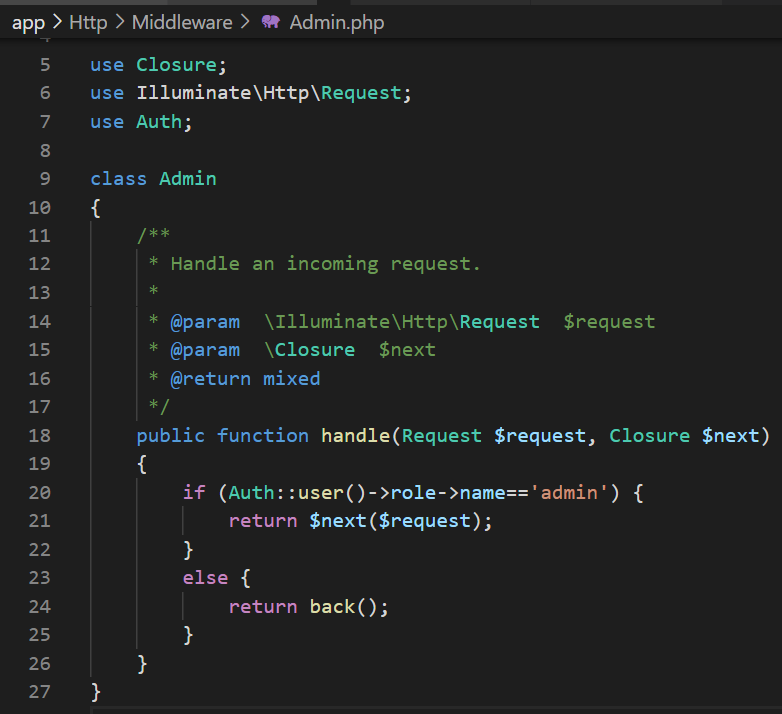
14. Create middleware to protect admin route

1
php artisan make:middleware Admin

Create Project
Add admin to middleware
Create Project
Protect admin route
Create Project
Add admin to middleware
Create Project
Protect admin route

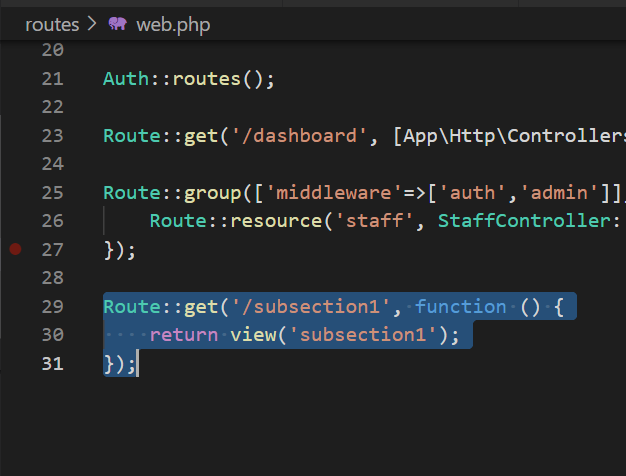
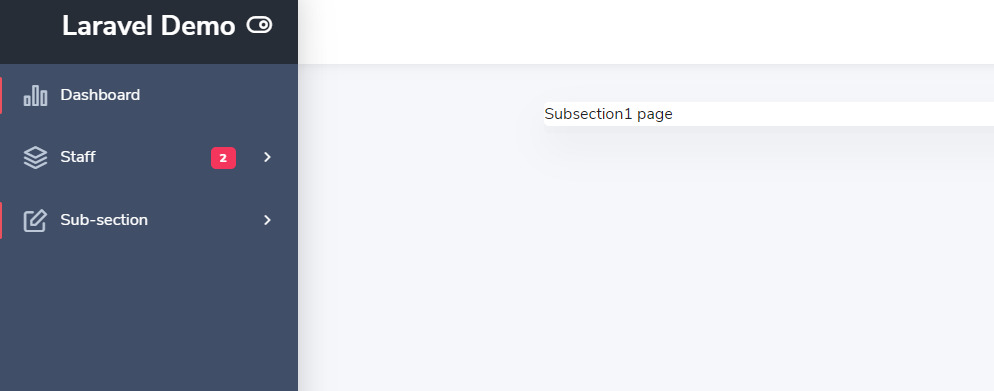
15. Repeat the process to create sub-sections

Create Project
create sub-section route
Create Project
create sub-section route

15mins to setup a basic C# project— Projects management web app

Here is a demonstrating of how to create a very basic web application using ASP.Net framework with user authentication and CRUD feature. However, it might be not appliable in real project with complicated business logic. I only use this way for practicing MVC framework using C#.

1. Environment: Windows10, Visual studio 2019

Create Project
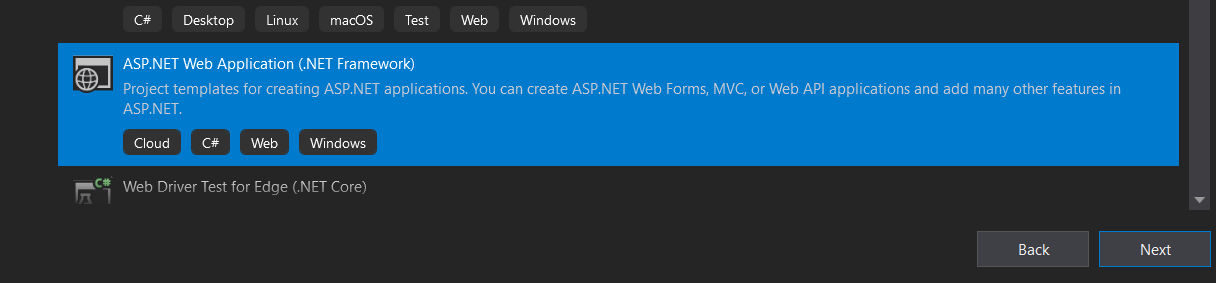
Create a .NET Framework Project

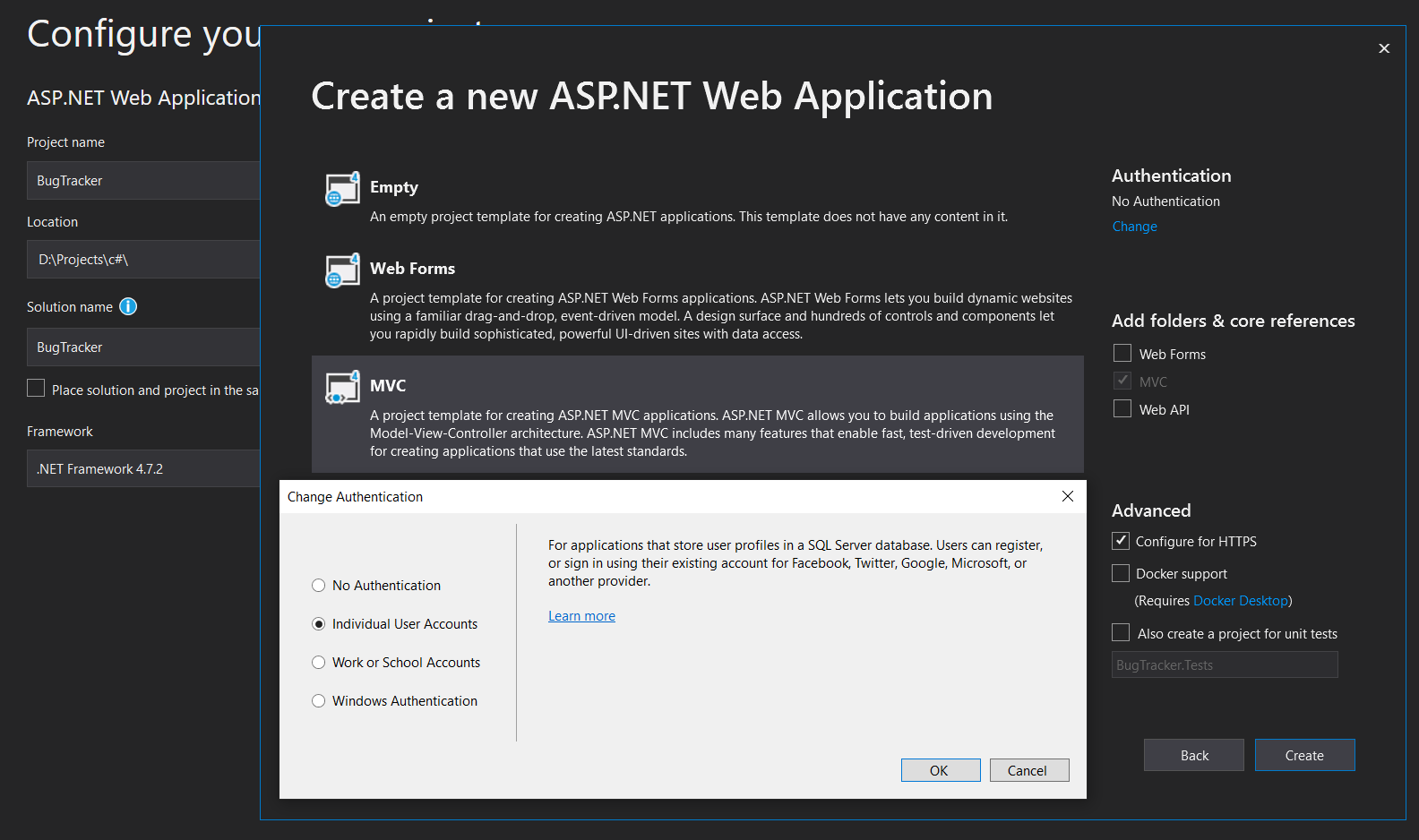
2. Create a .net web framework with individual user account

By using this feature, .net will create login and register feature automatically.

Individual user account
Choose individual user account

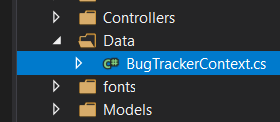
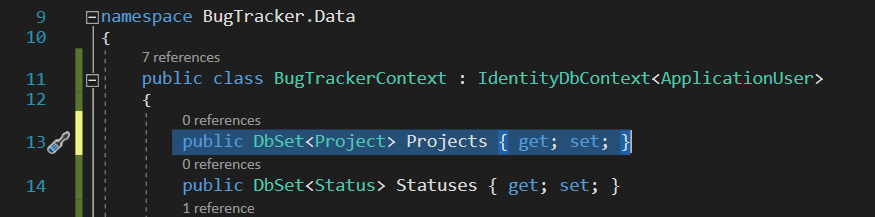
3. Create a Data folder and BugTrackerContext.cs

Create a separate file to collect DbSet.

Create DbContext file

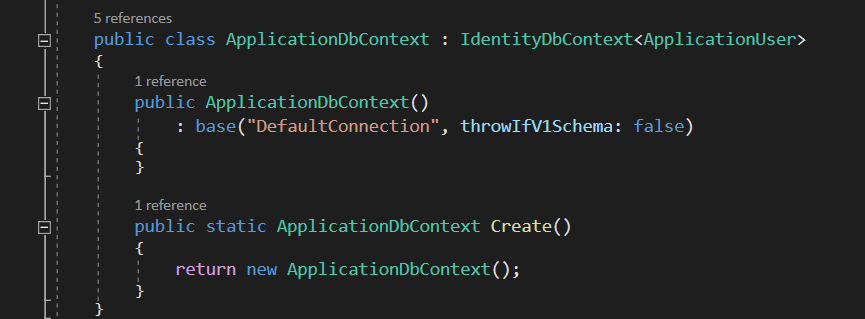
4. Cut code from IdentityModels.cs to BugTrackerContext.cs

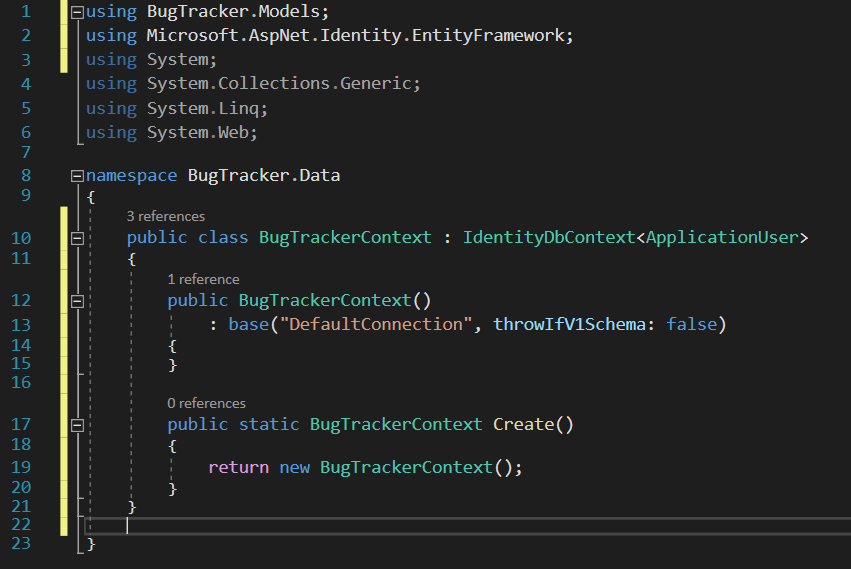
.Net need to use BugTrackerContext (Database Context) file to create migration files before creating tables in database.

Create DbContext file
Cut from IdentityModels.cs

Create DbContext file
Cut from IdentityModels.cs

Create DbContext file
Paste code to BugTrackerContext.cs

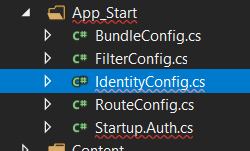
Alter config file
Alter config file

Alter config file
Alter config file

Alter config file
Alter config file

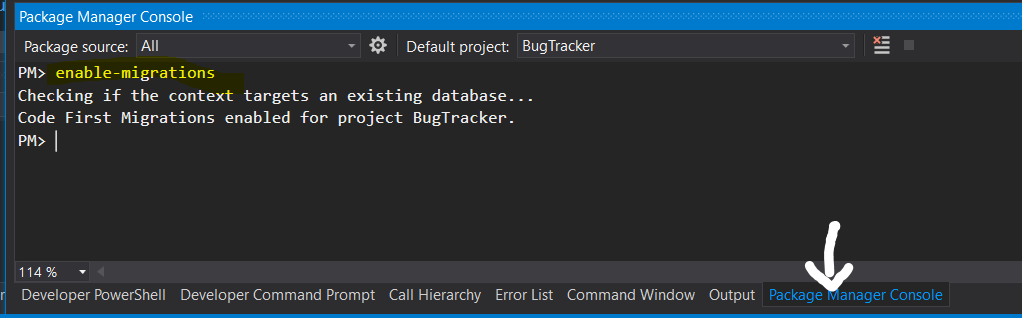
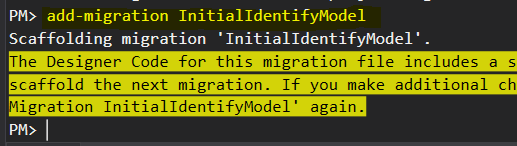
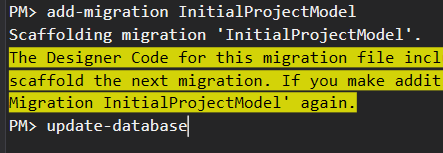
6. Create migration files and update database in Package Manager Console

Add migration and update database-1

Add migration and update database-2

Add migration and update database-3

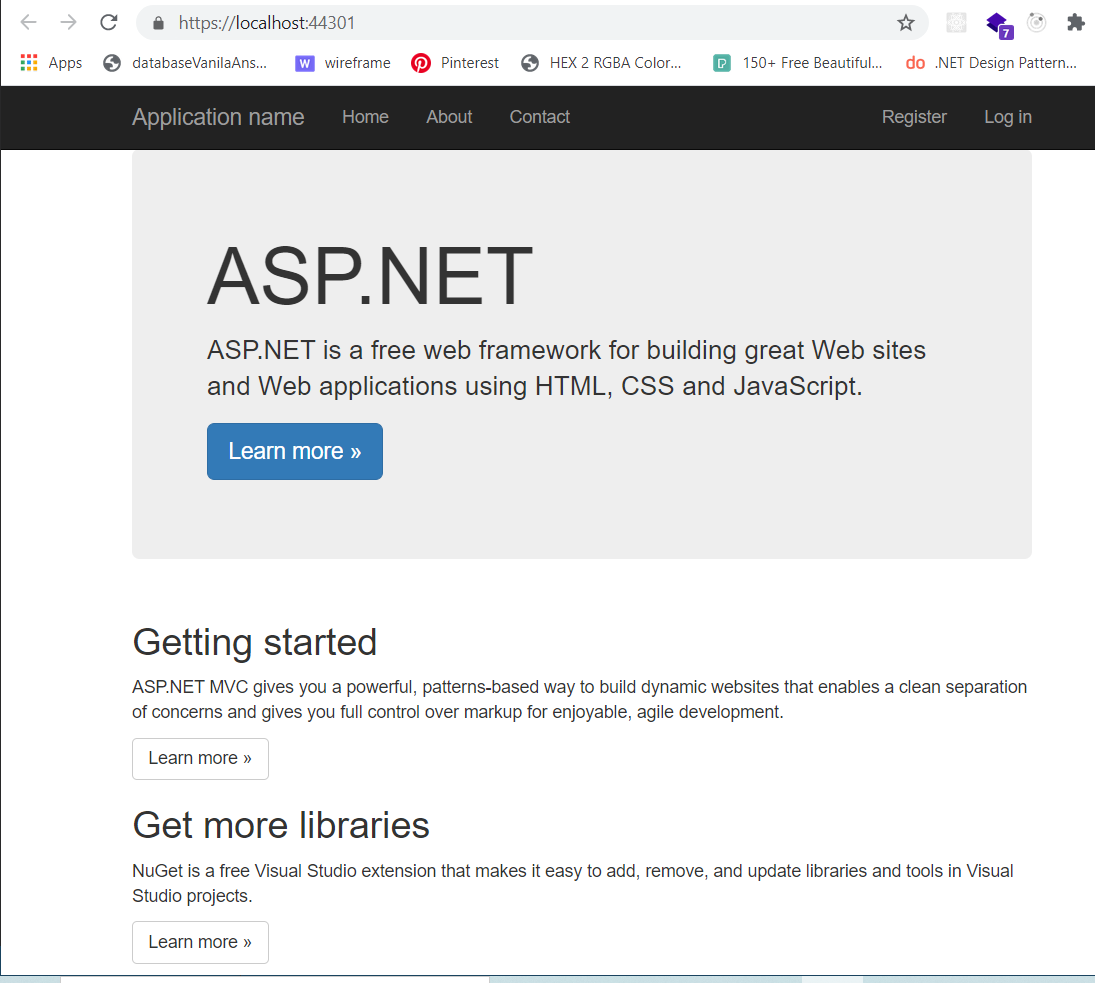
7. Run the project on localhost

Add migration and update database-6
Run the project on localhost

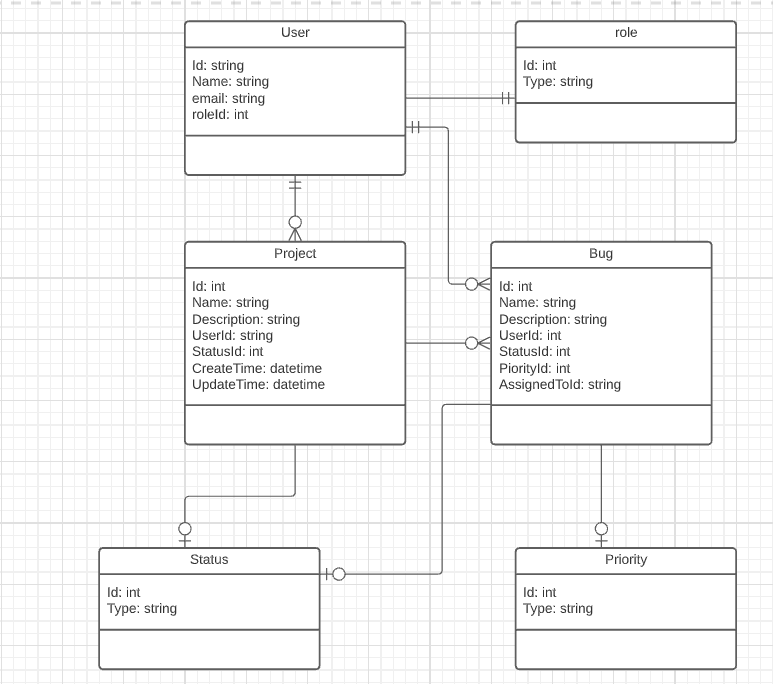
8. Design the project’s entities

UML
UML diagram

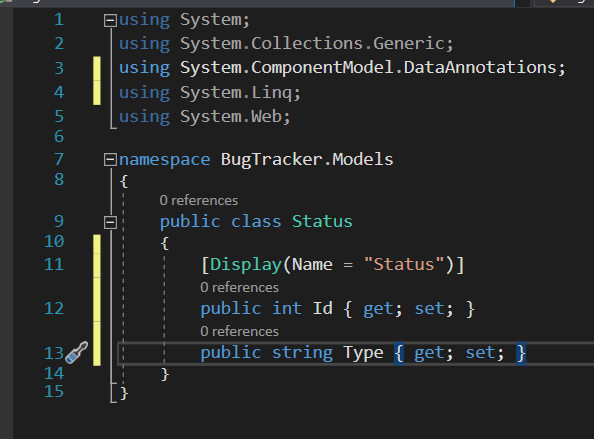
9. Create the most independent entity —Status

Status class
Status class

Status class
Status class

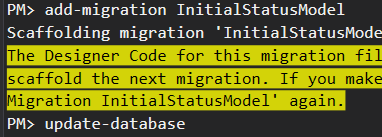
10. Create migration file

Add migration and update database

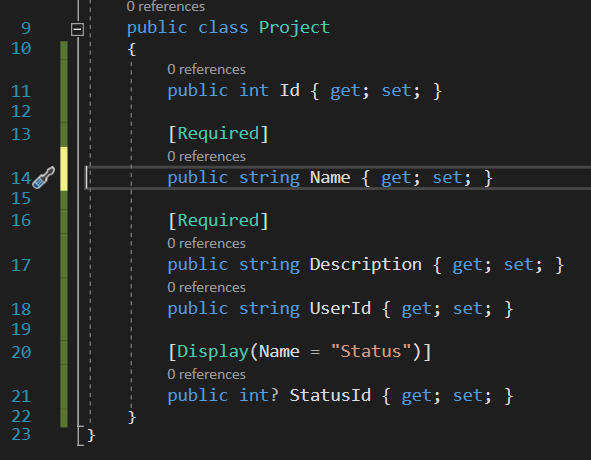
11. Create Project entity and migration file

Project class
Project class

Project class
Project class

Project class
Project class

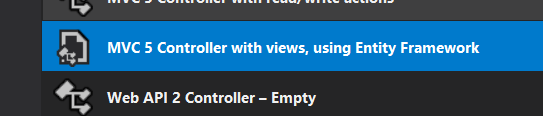
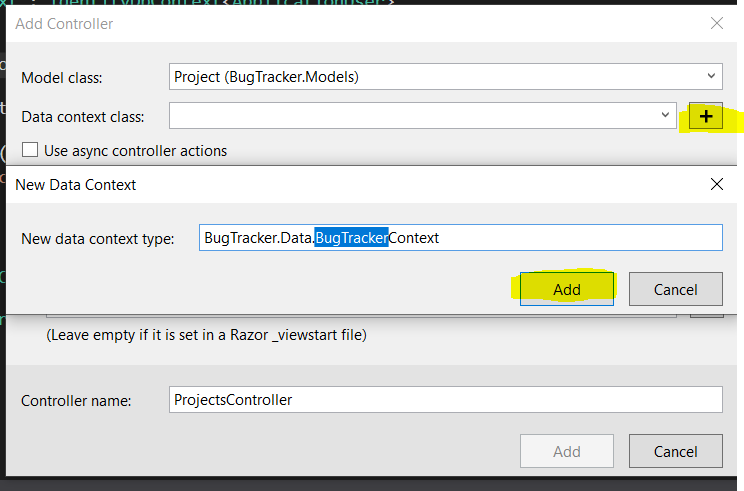
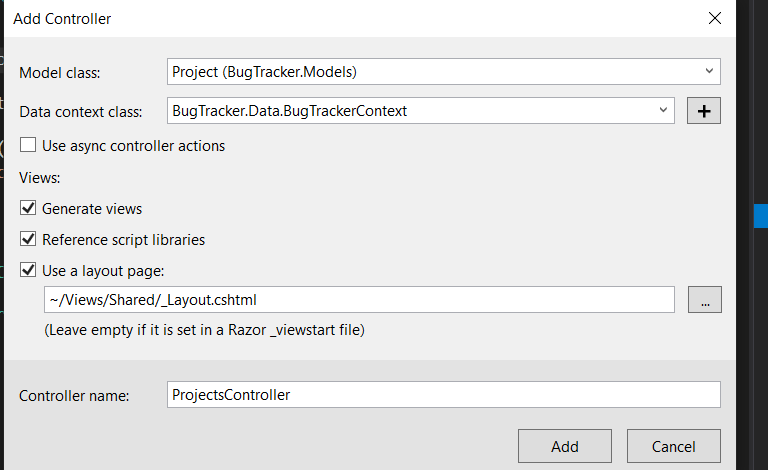
12. Create ProjectsController file

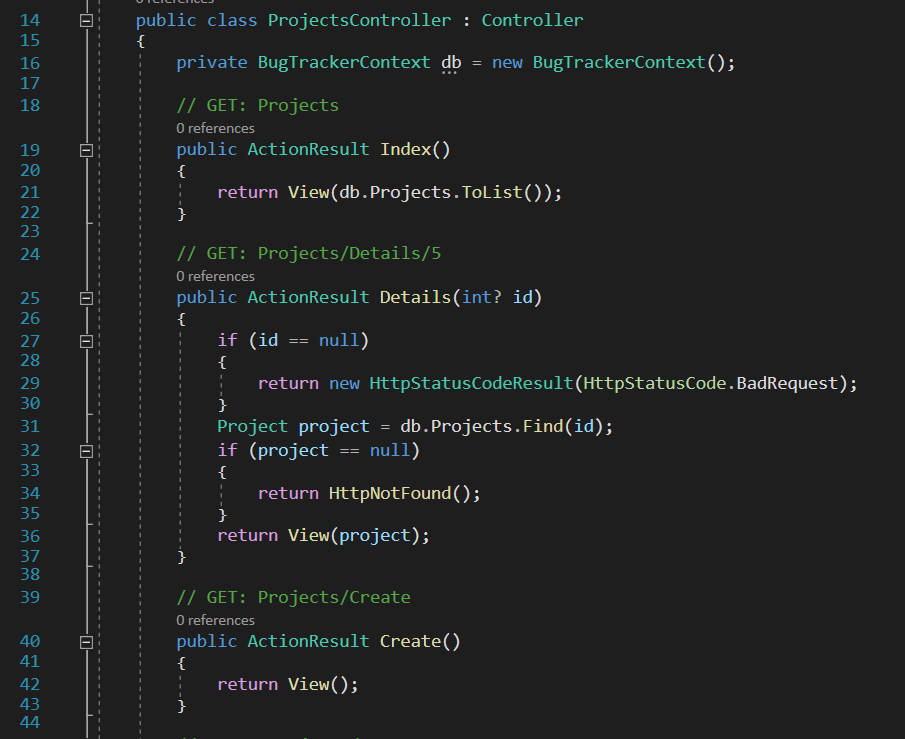
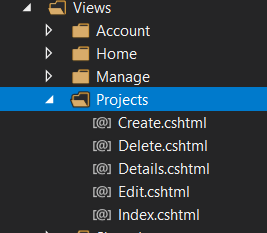
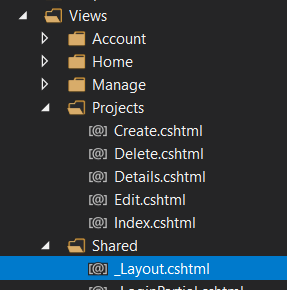
By using “MVC 5 Controller with view, using Entity Framework”, it will generate controller and views code automatically.

ProjectsController-1

ProjectsController-2

ProjectsController-3

ProjectsController-4

ProjectsController-5

13. Run the project

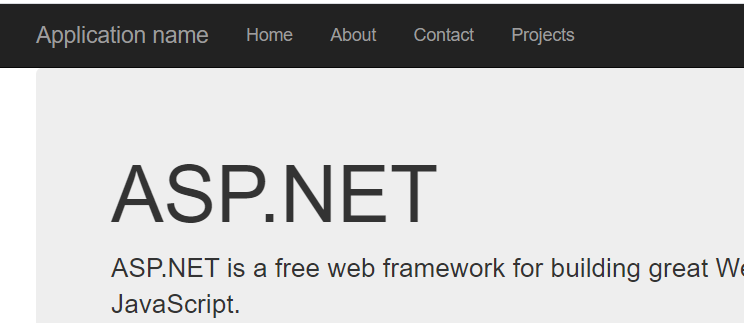
Add Projects Link-1
Add Projects Link-1

Add Projects Link-2
Add Projects Link-2

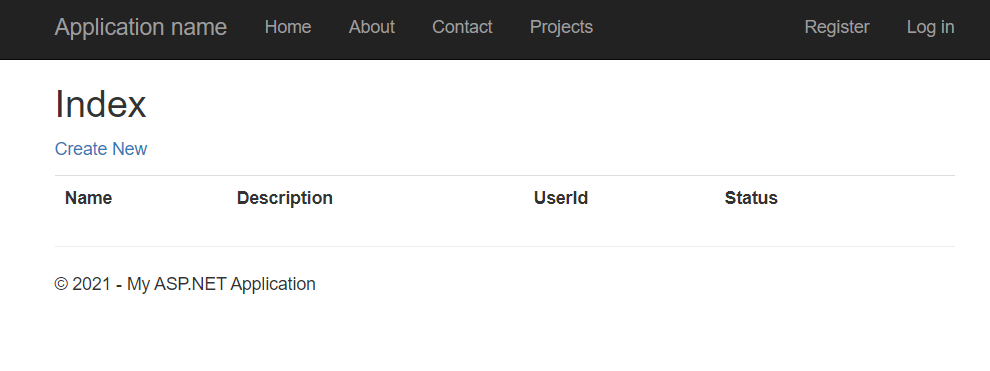
Run project-1
Run Project-1

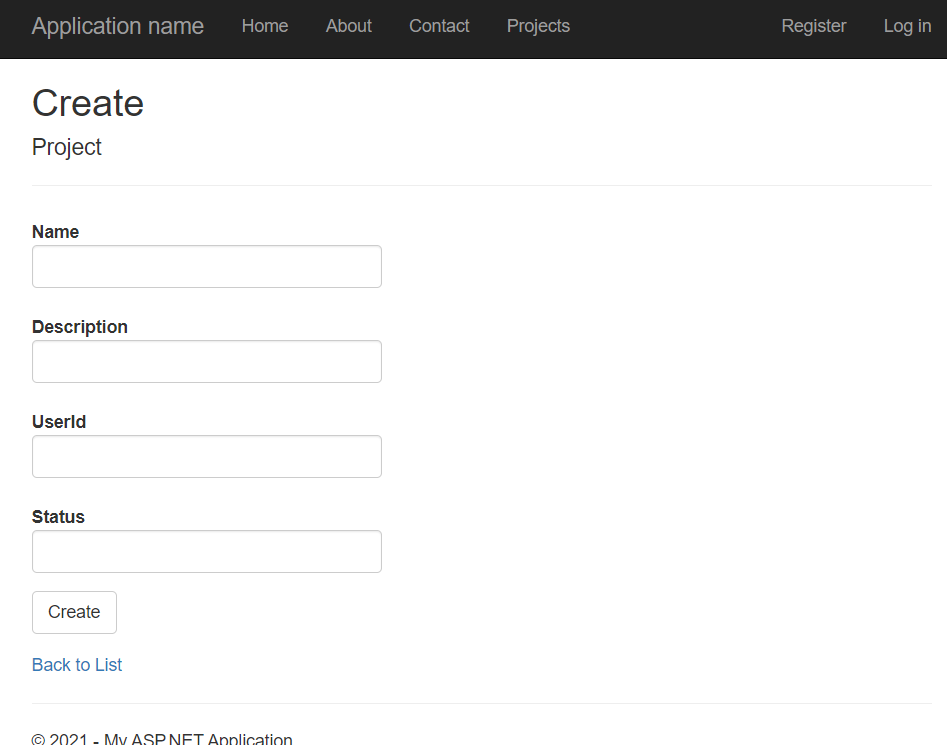
Run project-2
Run project-2

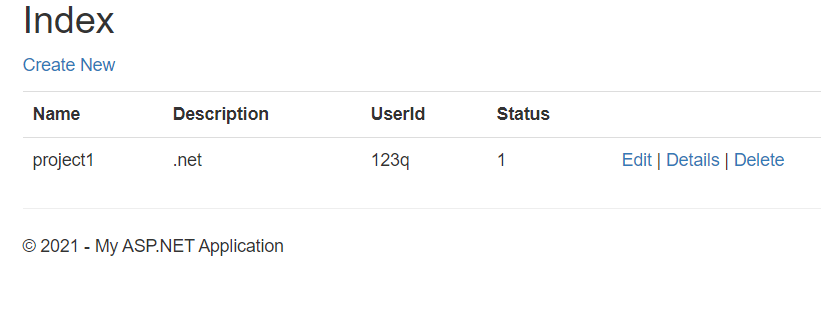
Run project-3
Run project-3

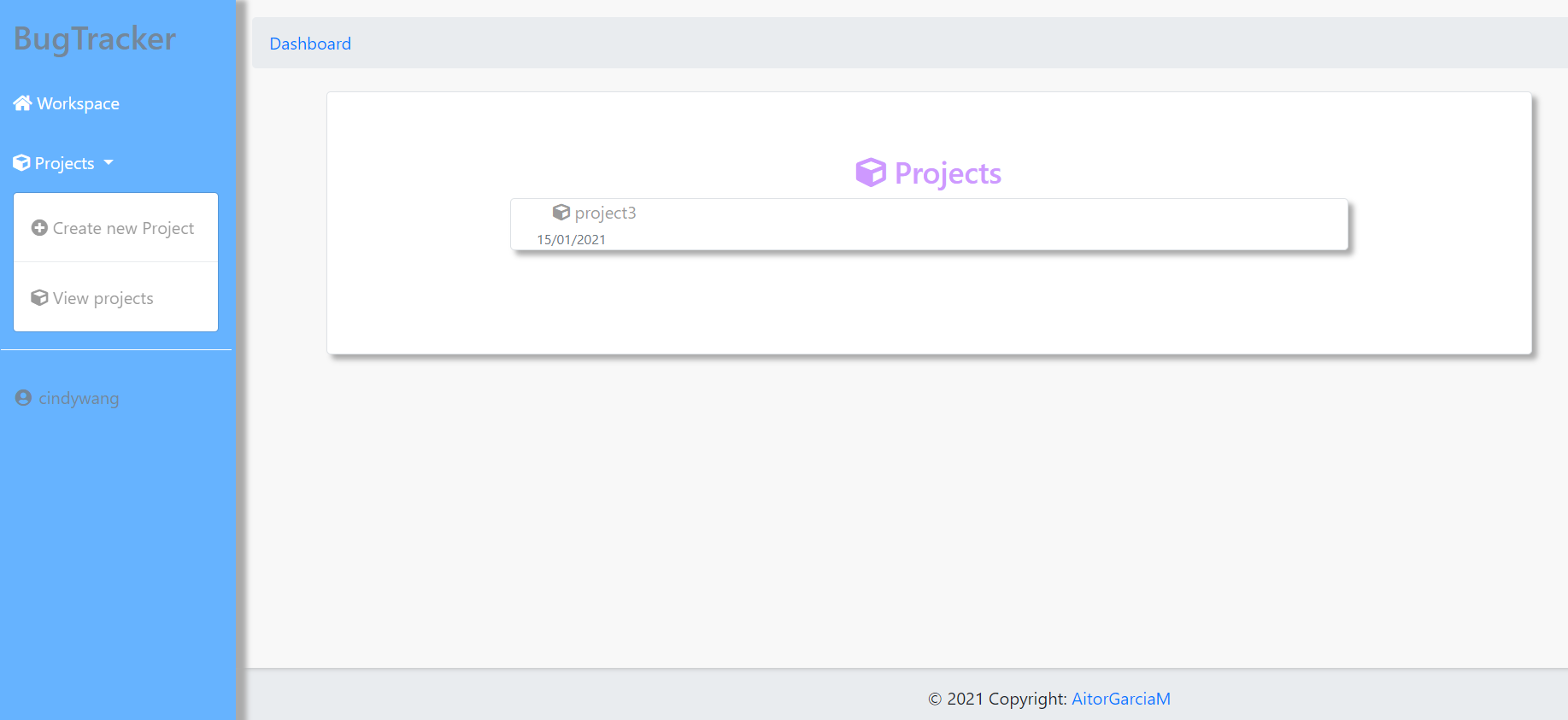
Run project-4
Run project-4

What next

  • Choose a new theme in Bootstrap watch
  • Add Bug Model and BugsController to manage bugs in each project.
  • Add user roles to authorise users. There are going to be admin and developer roles. Only admin users are able to delete projects, bugs and assign bugs to developers.
  • Login with external social media credentials, like Google.
  • Deploy the web application.

My questions and understanding about REST API & SOAP API

  1. What is REST architecture? It is used in distributed system. There are many other architectures can be used in distributed system depending on different context. If use REST architecture to design our software, tool or web service, HTTP protocol needs to be used. The interface of the server application needs to be designed as REST API.
  2. REST API is an API backed by REST architecture.
  3. SOAP API is a protocol which has specific standard.
  4. Web API can use REST API or not.
  5. About web service:
    UI is for human to interact with the web service and REST API or SOAP API is for an application to interact with another application.
    Web is to provide access/interface of resource. The key point of web architecture is resource involving three operations which are identify, represent, and interact with. URI (URL and URN) to identify resource, html, xml, images, and videos to represent resource, HTTP, FTP to interact with resource.
  6. We can choose either one to design the API or sometimes they are combined together to get the job done better.
  7. Even though REST is widely used today, it has drawbacks. Is security the biggest problem the REST has.
  8. REST is very data-driven, compared to SOAP, which is strongly function-driven. REST is used when clients are able to manipulate CRUD operations themselves while SOAP is used when clients are only allowed to propose their request like bank customers only be able to request to transfer money but not be able to deduct the money in the bank database themselves.
  9. SOAP is a protocol and has to use XML format data (not html, maybe data from database or Uri).
    REST style uses HTTP protocol and can use different ways to format data like XML, YAML, or any other format that is machine-readable, but usually JSON is most widely used. REST follows the object-oriented programming paradigm of noun-verb. REST is very data-driven, compared to SOAP, which is strongly function-driven. You may see people refer to them as RESTful APIs or RESTful web services. They mean the same thing and can be interchangeable. REST is a good option for public APIs.

Reference:
https://martinfowler.com/articles/richardsonMaturityModel.html
https://www.soapui.org/learn/api/soap-vs-rest-api/
https://www.zhihu.com/question/28557115
https://www.cnblogs.com/zhangz721/archive/2009/10/02/1577316.html
https://dzone.com/articles/comprehensive-guide-rest-vs-soap
https://dzone.com/articles/difference-between-rest-and-soap-api#:~:text=Differences%3A,based%20on%20HTTP%20and%20XML
https://keetmalin.wixsite.com/keetmalin/post/2017/09/27/distributed-system-architectures-and-architectural-styles

Improve programming efficiency tips-1:Customise your own aliases file

Different terminals have different ways of setting alias file. I will use git bash as an example to demonstrate setting aliases in both MacOS and Windows system.

Windows

  1. Create .bashrs file in ‘C:\Users\[username]\.bashrc’
  2. When open git-bash from start menu, it will create bash_profile in ‘C:\Users\[username]’ to open .bashrc
  3. When open bash in VS code, it will run the .bashrc file automatically(I changed my VS code intergrated terminal to bash).
  4. After updating the .bashrs file, the terminal or VS code needs to be restarted for the new aliases to work.
  5. Here is the aliases list I set for myself:
1
2
3
4
5
6
7
8
9
10
11
12
13
14
15
16
17
18
19
20
21
22
23
24
25
26
27
28
29
30
31
32
33
34
35
36
37
38
39
40
41
42
43
44
45
#! .bashrs file
# navigation
alias ls='ls -F --color=auto --show-control-chars'
alias ll='ls -l'
alias ..='cd ..'
alias ...='cd ../..'
alias ....='cd ../../..'
alias dt='cd "C:\Users\Cindy Wang\Desktop"'
alias ht='cd "C:\xampp\htdocs"'
alias htbap='code "C:\xampp\htdocs\BugAndPlan"'
alias htmyb='code "C:\xampp\htdocs\myBugTracker"'
alias htpost='code "C:\xampp\htdocs\postMVC"'
#alias bp='code "C:\Program Files\Git\etc\profile.d\aliases.sh"'
alias bp='code "C:\Users\Cindy Wang\.bashrc"'

#cli
alias cls='clear'
alias rf='rm -i'
alias tf='touch'
alias md='mkdir'

#laravel cli
alias ln='laravel new'
alias ui='composer require laravel/ui'
alias bs=' php artisan ui bootstrap --auth'
alias vue=' php artisan ui vue --auth'
alias react=' php artisan ui react --auth'
alias cpenv='cp .env.example .env'
alias ser='php artisan serve'
alias prauth='php artisan make:controller Auth\\'
alias prmc='php artisan make:controller' #prmc UserController -r
alias prm='php artisan migrate'
alias prmma='php artisan make:migration' # 'php artisan make:migration add_role_to_users_table --table=users'
alias prmr='php artisan migrate:rollback'
alias prmm='php artisan make:model'
alias prmid='php artisan make:middleware' # Admin
alias prms='php artisan make:seeder' # Role
alias prsc='php artisan db:seed --class' # Role

alias prl='php artisan route:list'

#npm
alias i='npm install'
alias run='npm run dev'
alias irun='npm install && npm run dev'

Mac

  1. Find .bash_profile in MacOS(normally in ‘/Users/[username]/.bash_profile’).
  2. Create .aliases file in folder ‘/Users/[username]’.
  3. Need to run ‘source ~/.bash_profile’ to get the aliases work.
  4. Here is my aliases list for Mac (as I deploy my Hexo blog through Macbook, the list includes aliases for updating my hexo blog)
1
2
3
4
5
6
7
8
9
10
11
12
13
14
15
16
17
18
19
20
21
22
23
24
25
# .aliases file
# Nav
alias ..="cd .."
alias ...="cd ../.."
alias ....="cd ../../.."
alias .....="cd ../../../.."
alias ~="cd ~" # `cd` is probably faster to type though
alias -- -="cd -"
# alias d="cd ~/Documents/Dropbox"
# alias dl="cd ~/Downloads"
alias dt="cd ~/Desktop"
alias p="cd ~/projects"
# alias g="git"
# alias h="history"
# alias j="jobs"

# edit .bash_profile
alias bpa="atom ~/.bash_profile"
alias bpvs="code ~/.bash_profile"
alias alvs="code ~/.aliases"
alias bpr="source ~/.bash_profile"

#HexoBlog
alias hcg="hexo clean&&hexo g"
alias hd="hexo d"

After using aliases, it is saving my time from typing same long command line again and again. I also only need to remember one aliases list which can be used on both Windows and MacOs system. When I am programming, I usually open the aliases list to add more whenever necessary.

reference:
https://gist.github.com/wzup/36b5159d8c580b827384

Replay My First Laravel Project—My Bug Tracker

It has been a year since the idea of creating a bug tracking application hitting my mind. I tried to design the UML diagram and draw wireframes. However, I had no idea how to start the code until I learned Laravel recently. It is unbelievable that I could finish the first version of My Bug Tracker within a week. Now I want to walk through the path again and try to consolidate the knowledge that is going to help me for the next project.

Get some ideas from open-source projects on GitHub

GitHub definitely gave me a big help this time as I did not quite clear about what features and layout a bug tracker should have. I looked into some apps available online like JIRA, Mantis and so on. However, they are way too complicated for me. Recently, I learned how to use GitHub to find open-source projects and I finally found a good Laravel bug tracker project to begin with.
Here is my way to find the project and ran it locally.

1
2
3
# GitHub search
in:description bug tracker laravel pushed:>2020-01-01
in:description bugtracker laravel pushed:>2020-01-01

The results are different with tiny difference between key words. I read the README documents and ran a few of the projects. Finally, I decided to use BugAndPlan as my reference.

Git clone the project to local machine

Run Laravel project locally

1
2
# Go to the folder BugAndPlan
cd BugAndPlan
1
composer update
1
2
config env file
cp .env.example .env
1
2
php artisan key:generate
php artisan migrate

Done!

BugAndPlan layout:
BugAndPlan-1
BugAndPlan-2
BugAndPlan-4

Define the features and design the UI for my project

Features

  • Authentication
  • Authorization
  • Adding projects and bugs
  • View and edit projects and bug details
  • Changing user profile
  • Admin role should be able to assign bugs to developer role and able to delete projects and bugs

Get header and nav bar ready

My Bug Tracker
My Bug Tacker Navbar layout

Design the feature development process

Models

Build the Models and migrations:

My Bug Tracker
User Model

My Bug Tracker
User migration

Controllers

Design route API

My Bug Tracker
Registration route

My Bug Tracker
Registration controller

Views

Create forms and display tables

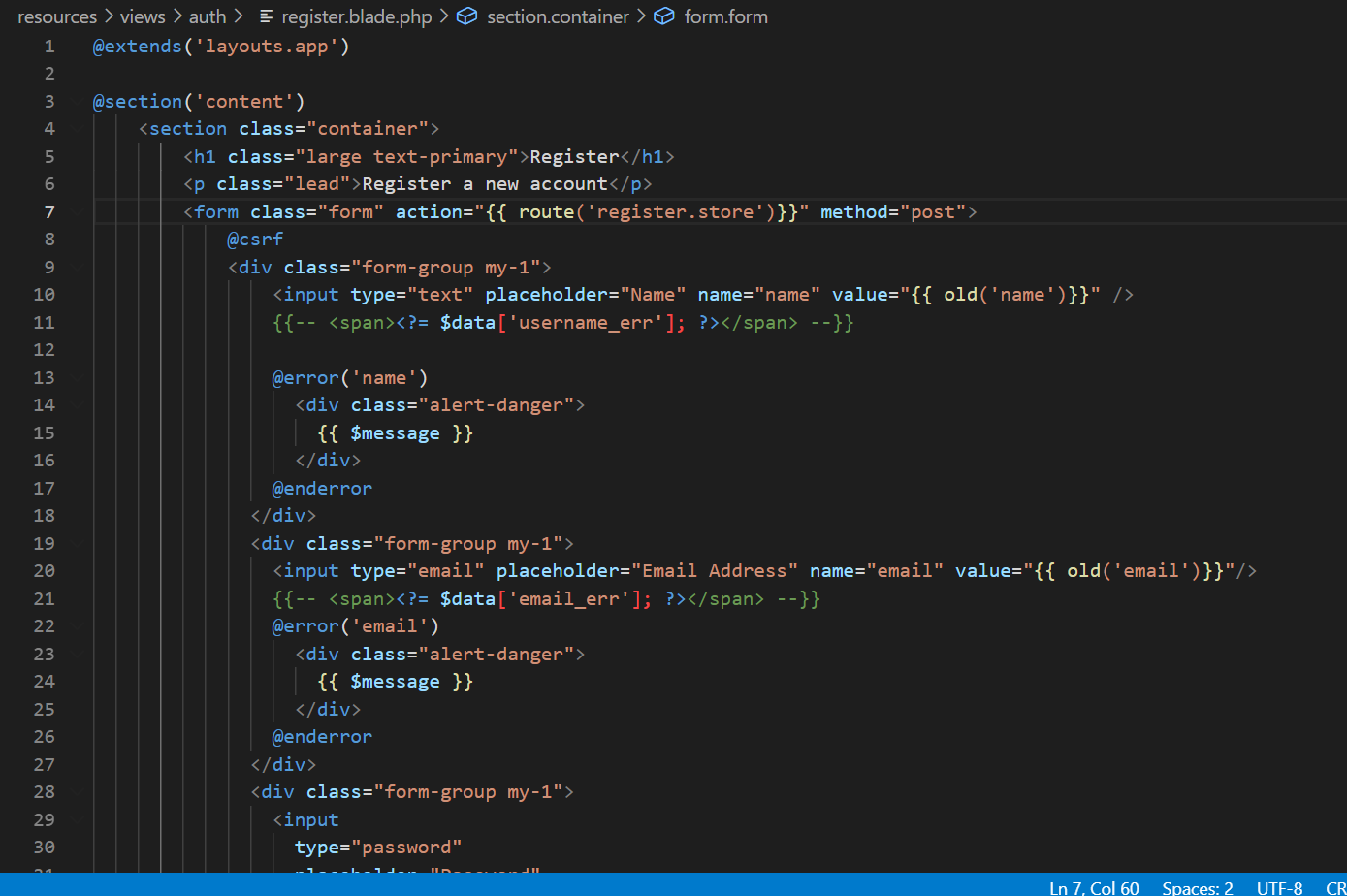
My Bug Tracker
Registration view

Heads-up

  • Protecting routes
  • Injection attacks
  • Code-review to comply SOLID principles

Repeat the process for the next feature

What is next

  • I am going to use this app in the future to manage my projects.
  • Add more features (Display issues by priority. Pop-up dialogue confirming deleting, more details for projects and bugs e.g.: supporting uploading files, images, email to other people. Adding ‘My Task’ page. Able to assign bugs to multiple developers. Able to create and delete users. Remember me and Forget password).
  • Improve UI and UX
  • Build the project again if necessary.
  • Deploy the project.
  • Build the project in C#.

How PHP files work?

PHP/ PHP runtimes /Web server

We can write PHP files in a text editor without downloading anything. The reason we usually download Xammp, or whatsoever is because we need to run PHP files to see the results. There are 2 ways to run PHP code:

1). To show the results on a browser

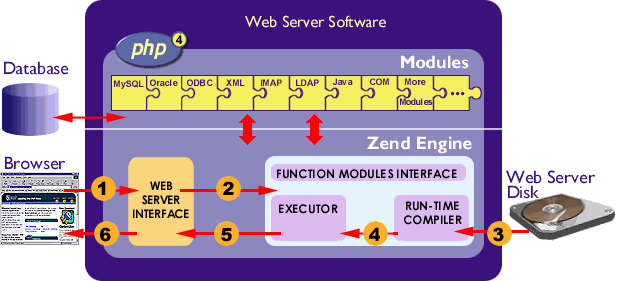
This is a common way to run PHP code. That is why we need to set up a web server on our local machine and what I use is Xammp. The web server is Apache here. There are lots of other web servers we can use as well, like Nginx, IIS. However, it does not mean that web server can run the PHP code. When the web server encounter PHP files, it will call PHP runtime to run the code and return the output, for example HTML files, as part of response to the browser. The official PHP runtime is Zend Engine. There are other PHP runtimes, like Phalanger.

View PHP results from the browser
View running PHP file results from the browser

2). To show the results on the terminal

This is to explain that PHP code can be not associated with a web server. We still need to download PHP to run PHP code. A lazy way would be still using Xammp as it already has PHP inside, but do not start Apache web server. Then we can run PHP file using CLI.

1
2
3
# test.php
<?php
echo "Hello World";
1
2
3
#!/bin/bash
E:\>php test.php
Hello World!

PHP 8 has JIT compiler now

PHP is a server-side scripting language similar to JavaScript which is a client-side scripting language. They are interpreted language, which means they need an interpreter or virtual machine to translate the language into different machine code depending on which system it is running on.

Zend Engine interal structure

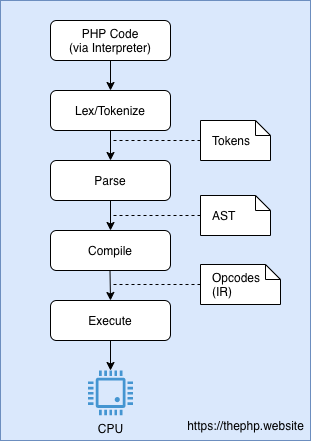
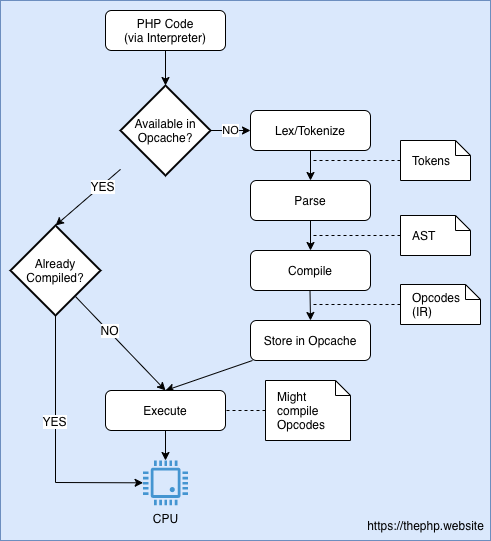
This makes the interpreted language less performance and freedom when compared with compiled languages which can be compiled beforehand. Similar to powerful JavaScript engine Chrome V8, PHP 8 Zend engine uses JIT compilation to compile part of the PHP code, so the Zend virtual machine does not need to interpreter this part of code anymore. The rest of the code still need to wait the virtual machine to specify the operating system before interpreting them. Here is the illustration about how PHP works with and without JIT.

PHP works without JIT:
PHP works without JIT

PHP works with JIT:
PHP works with JIT

References

https://code-boxx.com/how-to-run-php-script-sapi-cli/
https://thephp.website/en/issue/php-8-jit/
https://en.wikipedia.org/wiki/Zend_Engine#:~:text=The%20Zend%20Engine%20is%20the,Technologies%20in%20Ramat%20Gan%2C%20Israel.

USB ports and USB cables

A digital device can be connected with other devices through wifi or cables in order to transfer data. If using a cable to connect devices, we need to identify the right cable to plug into the right port on the device. One of the most commonly used type is USB (Universal Serial Bus). There are USB devices and USB cables.

Interfaces

Both USB devices and USB cables have interfaces, eg: a computer may have many USB ports and a USB cable has connectors on each end. Those ports and connectors are the interfaces. There are several major types of interfaces: USB-A (Type A), USB-B (Type B), Micro USB, USB Type C and Thunderbolt3.

Standards

Same type of interface may support different USB standards. More advanced standard means higher data transfer speed. USB 1.x was released in 1996, but it is unlikely to find any USB 1.x devices or cables nowadays. USB 2.x is still used in mice, keyboards, and similar devices as speed(up to 480 Mbps) is not a priority for them. The most popular standard is USB3.x. USB 3.2’s speed is up to 20 Gbps. Apple launched MacBook Pro with thunderbolt3 ports in 2016 with 40 Gbps data transfer rate.

However, if using USB 2.0 cable to connect USB3.0 devices, it will limit the speed to USB 2.0 standard. Apple only provide USB 2.x cable with their products by default as Thunderbolt3 cable is too expensive. Therefore, most of the time Thunderbolt3 ports of MacBook are used as USB 3.x port.

reference:
https://www.houkconsulting.com/2018/11/understanding-usb-cables-ports/
https://en.wikipedia.org/wiki/USB
https://m.mydrivers.com/newsview/604708.html?ref=

Internet--> OSI Model--> Protocols

Internet: network of networks

“How internet works?” sounds like a simple question as we use internet almost anywhere now. Many people think internet is about connecting to Wi-Fi or using cellular data to browse websites or send messages to friends. I realise it is way more complex than that when I dive into this topic. For me, there are two sentences to conclude “internet”:

  • It is a network of networks.
  • It is about encrypting data and transferring data.

For example, we can form a private network to connect the devices together in our house. A school can build its own public network. The purpose of the network is to share the resources on different devices with each other. If a network is a small unit, internet connects many of the units together globally.
The OSI model is used to explain the story behind the scenes.

OSI Model: a standard for networks

When we browse a website using our computer, our device is a part of the network. Before we get the resource (web pages for instance) sending back from the other device remotely, we are actually sending our data first. But we do not realise this step as it is not showing on the screen. The data containing what we want, who we are, which browser window we are using, which device we are using, where we are living and where the data should go. The data also needed to be encrypted in terms of security purpose. When the data reaches the other side, it will be decrypted, and the device will prepare the resource we want. The similar process will happen again to send the data back to us.
The OSI Model (Open Systems Interconnection Model) describe the steps(layers) how a computer preparing data and transferring data to the right location(device).
Within the OSI mode, there are lots protocols available to make the process work and one of them is HTTP protocol.

Protocol – HTTP

Each step(layer) of preparing or transferring data has different protocols. If the data type is HTML files, the protocol can be HTTP protocol. In other words, if we design a web app, we need to use HTTP protocol to make the app understand the data coming through then sending back data that the browser can translate and displaying on the screen.

Reference:
https://www.youtube.com/watch?v=eKHCH6rw0As&list=LL&index=4
http://www.steves-internet-guide.com/tcpip-ports-sockets/
https://www.youtube.com/watch?v=x3c1ih2NJEg

Hexo Blog

The first time I setup a Hexo blog was about 3 years ago. I was following a blogger’s instructions copying and pasting his code without knowing what I was doing. I finally reached a goal -– having my own Hexo blog with default settings. I did not continue writing anything in the blog. Because I have nothing to write about programming at that time. I went to polytechnic to study programming.I never thought I would shift my career to be a developer until this year. I find myself have great passion on coding. Interestingly, I looked back to the same blogger’s instructions recently after studying programming for one and half year. I totally understand those code now. I am thinking maybe I can write something now. So why not start from building my own blog…

Quick Start

Hexo

Tips

Here are some tips I wish someone would tell me when I built a Hexo blog.

Rule for your GitHub repo name

When you create a repo on GitHub, do remember use the same name as your GitHub owner’s name. For example, my GitHub owner’s name is ‘cindy-xing-wang’, my repo name has to be ‘cindy-xing-wang.github.io’. If you do not follow the rule, the deployed blog will not be able to style correctly.

About themes

After you init a Hexo blog, the first thing to notice is that the latest version (5.0.0) of Hexo has nothing (except .gitkeep which is an empty file) under themes’s folder. If you want to see the file structure of the default theme (landscape), you can type this command in the terminal.

1
2
#!/bin/bash
$ hexo generate

It will create a public folder and it contains the current using theme. Only public folder will be deployed to GitHub.
After built the blog, I browsed some other themes in Hexo themes. I decided to use theme Stun as it is still under maintenance and the documentation is really good.


More info:

  1. Try to build Hexo on macOS as some themes may not working on windows.
  2. I attempted to clone different themes. Some were not displaying the way I was expecting. During the process, I happened to know Hugo which is another blog building framework written in Go language. I haven’t tried it yet. If you want to find an easier way to build a blog maybe this is the way to go.